
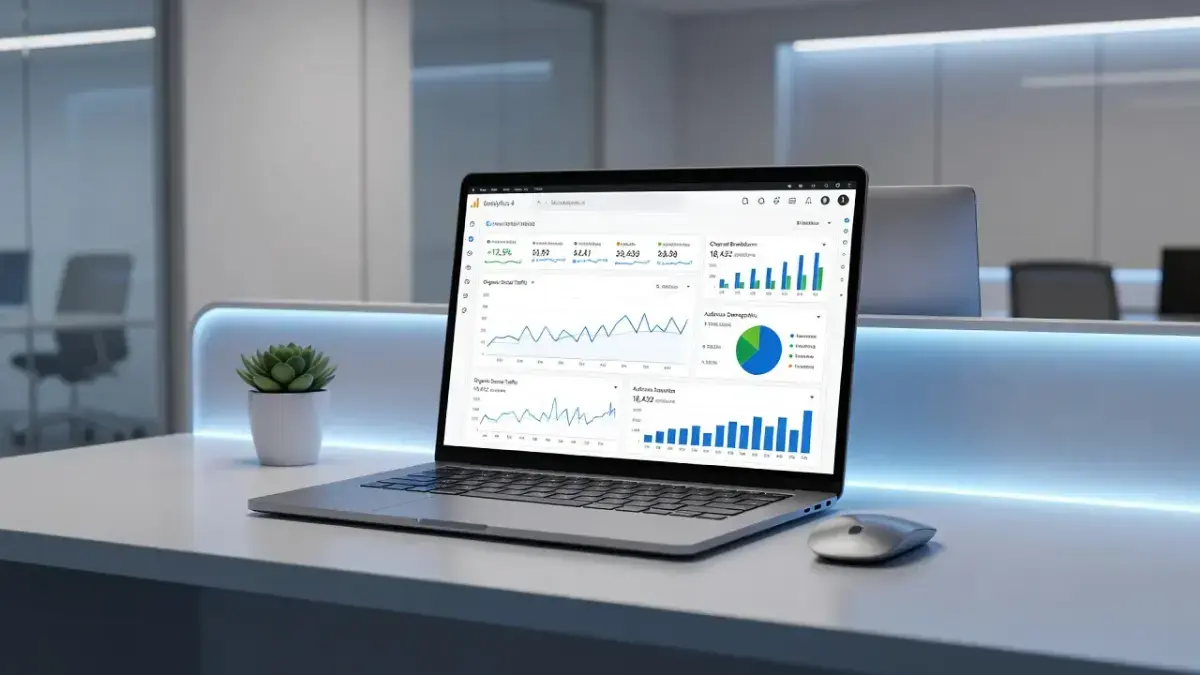
Organic social in Google Analytics is a default channel grouping that categorizes unpaid traffic originating from social media platforms like LinkedIn, Instagram, Facebook, X, and Pinterest. Google Analytics 4 (GA4) identifies these visitors by evaluating incoming HTTP referrer headers or campaign parameters against its standardized list of recognized social networks. Understanding how this traffic is routed helps you evaluate unpaid campaign reach without mixing social interactions with paid ad returns or organic search queries. Once you understand how GA4 tracks your organic social traffic, you still need consistent, high-performing content to share across those channels to capture audience attention; PulseRank automates this organic pipeline by managing keyword research, content strategy, article drafting, and site publishing in a single platform.
The primary variable determining whether a visitor lands in the Organic Social bucket is whether their arriving link contains structured campaign parameters or relies entirely on unmanaged browser referrers. When a user clicks an untagged link in a Twitter post, GA4 checks the referring domain against its built-in list of social networks. If the domain matches and no paid parameters are present, GA4 assigns that session to Organic Social. If the referring domain is missing, modified by an in-app browser, or tagged with an unrecognized medium, GA4 routes that traffic to Referral, Direct, or Unassigned instead.
How does GA4 classify organic social traffic in the default channel grouping?
Google Analytics 4 classifies organic social traffic using a system rule that checks incoming source and medium values against a list of recognized social domains. GA4 evaluates traffic sequentially against its Default Channel Grouping rules to determine where each session belongs.
To fall into the Organic Social channel in GA4, an arriving web session must satisfy one of two rule conditions defined by Google:
- Rule Set A: The traffic source matches Google's system-defined list of social sites AND the medium matches the regular expression
^(q?get|post||social|social-network|social-media|sm|social network|social media)$or is completely empty. - Rule Set B: The traffic medium matches the regular expression
^(.*social.*|social-network|social-media|sm|social network|social media)$, regardless of the source domain.
Google maintains a global database of social domains that includes popular platforms like facebook.com, instagram.com, linkedin.com, t.co, reddit.com, and tiktok.com. As documented in the Google Analytics Help Center, if an incoming visit comes from one of these recognized domains and carries a standard medium (or no medium at all), GA4 routes it into Organic Social.
If an incoming click comes from a recognized social network but carries a paid medium tag like cpc, ppc, or paid-social, GA4 bypasses Organic Social and routes the session to Paid Social. If the social site uses a custom domain wrapper or link shortener that Google does not recognize, the traffic falls back to the general Referral group unless manually tagged with custom campaign parameters.
Which source and medium values count as organic social in GA4?
Source values corresponding to known social domain names paired with default, empty, or social-specific medium values count as organic social in GA4. The source identifies the platform driving the visit, while the medium describes the transport mechanism.
Understanding how GA4 processes these combinations helps you spot reporting errors before they skew your marketing metrics. Common social platforms pass specific default source names into GA4 when users click links in web browsers or native mobile applications.
- LinkedIn: Source reads as
linkedin.comorlnkd.in, paired with a medium ofreferralor an empty string. - Facebook: Source reads as
facebook.com,m.facebook.com, orl.facebook.com(link shim), paired with a medium ofreferral. - X (Twitter): Source reads as
t.coortwitter.com, paired with a medium ofreferral. - Instagram: Source reads as
instagram.comorl.instagram.com, paired with a medium ofreferral. - Pinterest: Source reads as
pinterest.comorpin.it, paired with a medium ofreferral.
When these default combinations enter GA4 without custom tracking parameters, the platform's rule engine evaluates the source first. Because facebook.com sits on Google's list of social sites and referral falls within the allowed medium rule, GA4 overrides the generic Referral channel and assigns the session to Organic Social.
If you add custom parameters to an organic link - such as utm_source=linkedin&utm_medium=organic_posts - GA4 checks the medium. Because organic_posts contains the substring social, it matches Rule Set B and classifies the visit under Organic Social. If you use a medium like utm_medium=newsletter on a LinkedIn post, GA4 routes that traffic to Email, ignoring the social source.
How is organic social tracked in Google Analytics 4?
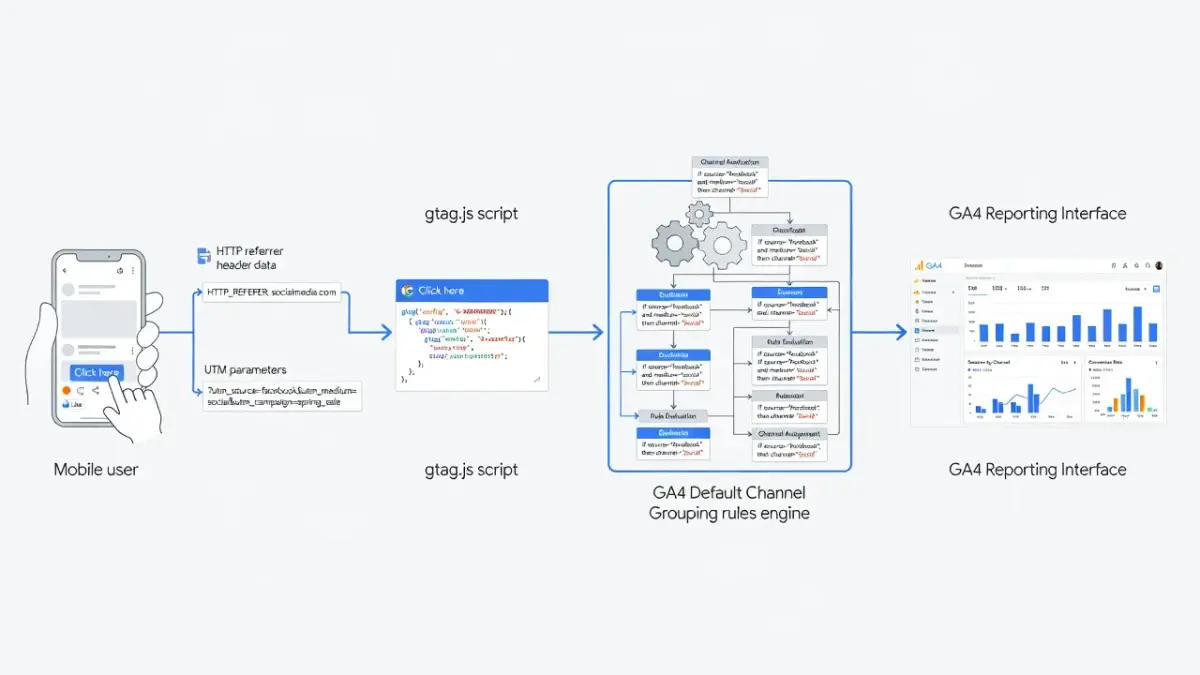
Google Analytics 4 tracks organic social traffic by reading the browser HTTP referrer header during page load or decoding custom URL parameters attached to arriving traffic. When a user clicks a link inside a social app or website, their browser sends an HTTP request to your site containing diagnostic data.
This HTTP header contains the URL of the web page where the user clicked the link. GA4's JavaScript library (gtag.js) extracts this referrer string during initialization and splits it into source hostnames. If the user clicks a link tagged with explicit campaign parameters, gtag.js prioritizes those parameters over the browser referrer header.
Understanding this tracking flow reveals why social traffic data often fluctuates across different devices and mobile applications. Understanding the difference between direct vs organic traffic in GA4 is critical when evaluating how these browser headers behave.
The table below outlines how GA4 classifies different traffic types based on their incoming source, medium, and tracking parameters as of late 2026.
| Traffic Classification | Default Source Values | Required Medium Values | How GA4 Identifies It | Typical Use Case |
|---|---|---|---|---|
| Organic Social | facebook.com, t.co, linkedin.com, instagram.com | referral, social, social-media, or empty | Matches domain against Google's social list with unpaid medium | Unpaid posts, profile bio links, organic group shares |
| Paid Social | facebook.com, linkedin.com, instagram.com | cpc, ppc, paid, paid-social | Matches social domain with explicit paid campaign medium tag | Meta Ads, LinkedIn Sponsored Content, Promoted Tweets |
| Organic Search | google, bing, duckduckgo, yahoo | organic or empty | Matches search engine list with organic or blank medium | Standard unpaid search engine results page clicks |
| Referral | Any external non-social, non-search domain | referral | Domain not found on social/search lists; standard HTTP link | Guest blog links, news mentions, directory citations |
| Direct | (direct) | (none) | Missing HTTP referrer header and no UTM parameters present | Bookmark clicks, typed URLs, dark social messaging links |
Tracking accuracy depends directly on referrer retention. Mobile applications frequently strip HTTP referrer headers when transferring users from an app to a external mobile web browser. When this header vanishes, GA4 loses its ability to inspect the origin domain, forcing the session into Direct unless explicit campaign parameters were attached to the link.
Should I tag organic social links with UTM parameters in GA4?
Yes, you should tag organic social links with UTM parameters in GA4 to ensure precise channel attribution and campaign-level visibility. While GA4 detects untagged social visits from major platforms automatically, relying solely on default referrers leaves significant gaps in your analytics data.
Untagged social links create three distinct reporting problems for businesses:
- Loss of campaign context: Without UTM tags, GA4 groups all traffic from a platform into one bucket. You cannot tell whether a visitor came from a link in your bio, a pinned post, a story, or a comment.
- Referrer stripping: In-app browsers on iOS and Android regularly drop HTTP referrer headers when opening external sites. Untagged clicks from these apps land in the
(direct) / (none)channel bucket instead of Organic Social. - Link shorteners and shims: Platforms like Facebook use link shims (
l.facebook.com) while X uses shorteners (t.co). If a new platform or custom shortener isn't on Google's updated social list, GA4 misclassifies the visit as generic Referral traffic.
By appending parameters like utm_source=instagram&utm_medium=social&utm_campaign=spring_launch, you explicitly tell GA4 how to process the session. According to standard web metadata principles defined on Wikipedia, structured link tagging provides the foundation for accurate cross-channel performance comparison.
tagging organic posts also helps you differentiate between organic social distribution and search distribution. When running a comprehensive paid traffic vs organic traffic strategy, tagging ensures your paid social campaigns never bleed into your organic social reports.
Is utm_medium=social the best practice for tagging organic social in GA4?
Yes, using utm_medium=social is the best practice for tagging organic social links in Google Analytics 4. This specific value matches GA4's built-in regex rules perfectly, guaranteeing your traffic lands in the Organic Social channel grouping.
GA4's default channel rules look specifically for exact strings or regex matches within the utm_medium parameter. The system accepts any of the following standard values for organic social:
socialsocial-networksocial-mediasmsocial networksocial media
If you invent non-standard tags - such as utm_medium=organic-post, utm_medium=bio_link, or utm_medium=facebook_group - GA4 will fail to match them against Rule Set A or Rule Set B. Unless the source domain happens to match Google's system list, traffic with these custom mediums will land in the Unassigned channel or drop back into Referral.
To maintain clean data across team members, establish strict parameter conventions. Always use lowercase letters, avoid spaces by using hyphens, and stick strictly to utm_medium=social for unpaid content. Reserve values containing cpc, ppc, or paid strictly for ad campaigns.
How does organic social differ from referral and organic search in Google Analytics?
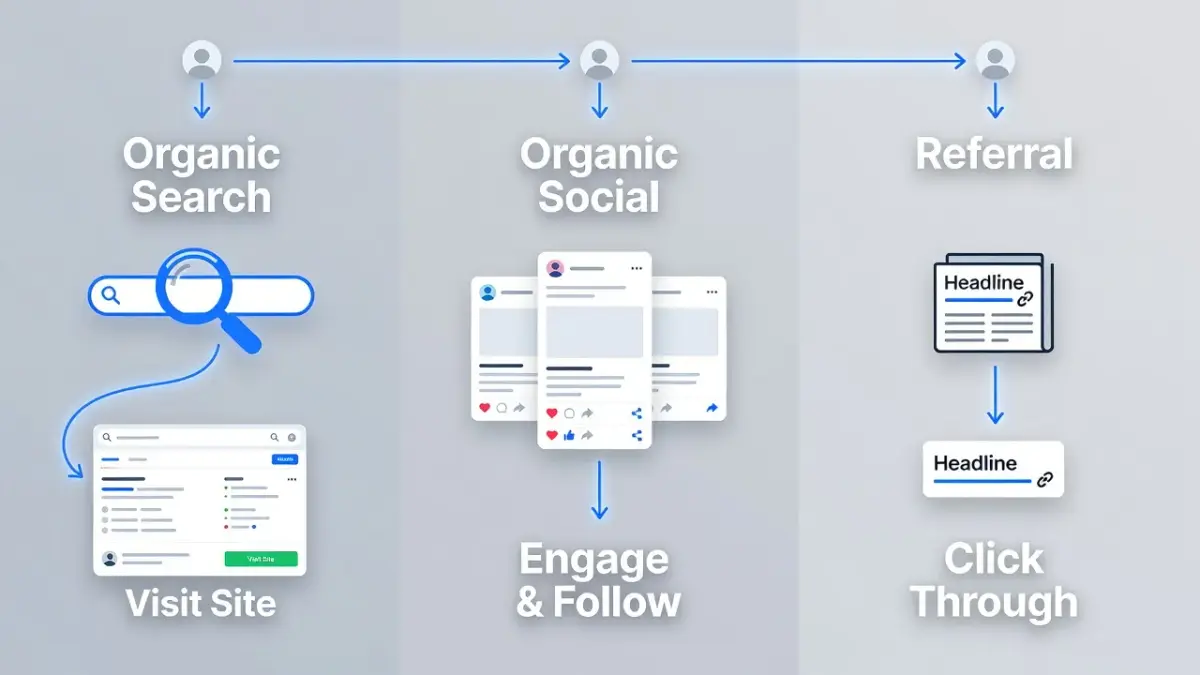
Organic social differs from referral and organic search in Google Analytics based on user intent, referring source domain, and default classification hierarchy. Each channel represents a fundamentally different pathway a user takes to reach your site.
Understanding these distinctions ensures you evaluate visitor engagement metrics with proper context:
- Organic Social vs. Organic Search: Organic Search traffic comes from users actively typing a query into a search engine like Google or Bing. These users possess explicit search intent to find an answer, product, or solution. Organic Social traffic comes from users browsing a feed who click a link shared inside a post, bio, or community group.
- Organic Social vs. Referral: Referral traffic includes visits driven by hyperlinked text on standard websites, blogs, news outlets, and directories. Organic Social is technically a sub-category of referral traffic that GA4 isolates into its own channel using its social platform database.
- Intent and Engagement Behaviors: Visitors arriving from organic search generally spend more time on site and convert at higher rates for immediate commercial queries. Visitors from organic social exhibit higher content consumption, broader brand awareness engagement, and higher bounce rates on long-form landing pages.
When analyzing site performance, tracking search visibility alongside social reach gives you a complete picture of brand exposure. To track how search engines parse your web pages over time, review our guide on how to find and track organic traffic in Google Analytics.
Why organic social tracking breaks and how to fix unassigned social traffic
Organic social tracking breaks when missing referrer headers, non-standard UTM tags, or app-level privacy settings force GA4 to drop traffic into Unassigned or Direct. When GA4 receives session data that fails all channel criteria, it categorizes those sessions as Unassigned.
The primary cause of broken social attribution is "dark social." Dark social occurs when users share web links within private messaging apps like WhatsApp, Slack, Discord, Signal, or native iMessage. When a recipient clicks a link inside a private chat app, the app strips the HTTP referrer string for privacy reasons. Because no UTM parameters exist to identify the origin, GA4 processes the hit as Direct traffic.
A secondary failure point involves custom parameters with typos. If a campaign manager enters utm_medium=socail (a typo) or utm_medium=organic_post, GA4 cannot match the string to its channel logic. If the source is also stripped or masked by a proxy, the traffic lands in Unassigned.
To resolve these attribution errors in GA4, implement three concrete fixes:
- Standardize URL creation: Use a centralized URL builder tool across your organization to enforce
utm_medium=socialacross all platforms. - Build Custom Channel Groups: Navigate to Admin > Data Settings > Channel Groups in GA4. Create a custom channel group that adds rules for non-standard mediums (like
organic-postorbio-link) so GA4 routes them into Organic Social. - Audit Data API streams: Use the Google Analytics Data API to pull raw source/medium dimension combinations weekly. Identify unassigned rows and retroactively adjust custom channel group rules.
Scaling organic content beyond social distribution
Relying solely on social networks for organic growth leaves your business vulnerable to sudden algorithm shifts and changing feed distributions. Social posts have brief half-lives: a tweet lasts hours, a LinkedIn post lasts days, and an Instagram post vanishes from feeds within forty-eight hours. To build long-term enterprise value, businesses must pair social engagement with permanent search and answer engine visibility.
Managing both social media distribution and continuous search engine publishing requires significant operational bandwidth. Many small and medium-sized businesses struggle to produce high-value, fully researched web content consistently while managing daily client operations.
This operational bottleneck is precisely what PulseRank solves. PulseRank is an end-to-end SEO and Generative Engine Optimization (GEO) platform that automates your entire organic content production workflow in a single $499 per month plan.
Instead of subscribing to separate keyword tools, hiring freelance writers, and manually formatting WordPress posts, PulseRank manages the entire process:
- Automated Keyword Research: PulseRank analyzes your brand's topic cluster to uncover high-intent search queries and AI sub-questions.
- Comprehensive Content Strategy: The platform drafts a 30-day editorial roadmap designed to establish domain authority across search engines and AI answer engines like ChatGPT and Perplexity.
- Citation-Ready Article Generation: PulseRank generates 30 full-length, deeply researched articles per month. Every article arrives complete with data tables, sourced third-party facts, custom AI images with optimized alt text, and contextual internal links.
- Direct Publishing: Articles automatically publish straight to your WordPress, Shopify, Wix, or Git-based website repository without manual copy-pasting.
- Integrated Performance Reporting: Built-in Google Search Console integration tracks keyword rankings, impression gains, and AI answer engine citations in a unified dashboard.
By deploying an automated content creation engine alongside your organic social strategy, every post shared on social channels points back to authoritative, high-ranking assets on your own domain. If you want to scale your team's publishing output, read our breakdown of LinkedIn content strategies for business growth to see how search and social work together.
Frequently Asked Questions
What is the difference between organic social and paid social in GA4?
Organic social represents unpaid visitors coming from social media platforms via standard links, profile bios, and user shares. Paid social represents traffic generated by ad spend, identified in GA4 by campaign tags containing paid mediums such as cpc, ppc, or paid-social.
Why is my social media traffic showing up as Referral in Google Analytics?
Social traffic shows up as Referral when GA4 recognizes the arriving web domain but fails to match the medium to its social rules. This commonly happens when custom link shorteners hide the primary social hostname or when non-standard medium tags are used on links.
Where do I find organic social traffic in GA4 reports?
You can find organic social traffic in GA4 by navigating to Reports > Acquisition > Traffic acquisition. Inspect the primary dimension set to Session default channel group and look for the Organic Social row in the data table.
What is dark social in Google Analytics 4?
Dark social refers to web traffic coming from private social channels like WhatsApp, Slack, Messenger, email, or SMS. Because these applications do not pass HTTP referrer headers to external web browsers, GA4 classifies untagged dark social clicks as Direct traffic.
Can you create custom channel groups for organic social in GA4?
Yes, you can build custom channel groups in GA4 by opening Admin > Data Settings > Channel Groups. You can define custom rules that match custom medium tags - like bio_link or social_group - and merge them into your primary Organic Social reporting view.
Why does Instagram traffic show up as l.instagram.com in GA4?
Instagram uses a "Link Shim" system (l.instagram.com) to redirect users outside its native mobile app safely. This intermediate server checks external links for malicious content before passing the user to your website, resulting in l.instagram.com appearing as the traffic source in GA4.