

Yoast Local SEO is a premium WordPress plugin extension that automatically formats business location data into structured Schema.org code, outputs Google Maps integrations, and manages multi-location metadata. Unlike the standard free Yoast SEO plugin, it specifically targets geographic search signals so brick-and-mortar stores and service-area companies can rank in regional Google searches and local map packs.
Operating a regional business requires showing search engines exactly where you operate, when you are open, and what services you provide at specific locations. Without structured technical data, search engines must guess your geographic context from plain text, which often leads to missed local map rankings.
What is Yoast Local SEO and how does it extend core WordPress SEO?
Yoast Local SEO is an add-on module for the core Yoast SEO plugin that generates local structured data and location landing page elements. While the basic Yoast plugin handles site-wide meta titles, XML sitemaps, and general content analysis, it lacks specialized fields for physical addresses, opening hours, or geographic coordinates.
The plugin bridges this gap by injecting machine-readable code into your WordPress site headers. Search engines use these technical signals to verify your business details across web directories and physical mapping services.
Key technical features included in the extension
- Structured Data Automation: Automatically outputs
LocalBusinessschema markup (and specific subtypes likeDentist,Attorney, orRestaurant) directly into your site's HTML header. - Google Maps Integration: Renders interactive maps on contact pages using official Google Maps API keys.
- KML File Generation: Automatically creates and appends
locations.kmlfiles to your XML sitemap to help mapping bots index your exact location coordinates. - Opening Hours Widgets: Provides dynamic widgets and shortcodes to display store operating hours, including special holiday overrides.
- Store Locator Functionality: Embeds searchable location finders for brands managing multiple branches across different zip codes.
Building a visible web presence for a geographic service area requires both technical page markup and fresh localized content. Small businesses looking to expand their regional reach often pair location plugins with comprehensive strategy services like PulseRank to maintain a steady output of city-focused articles and localized search landing pages.
How does Yoast Local SEO format business location data?
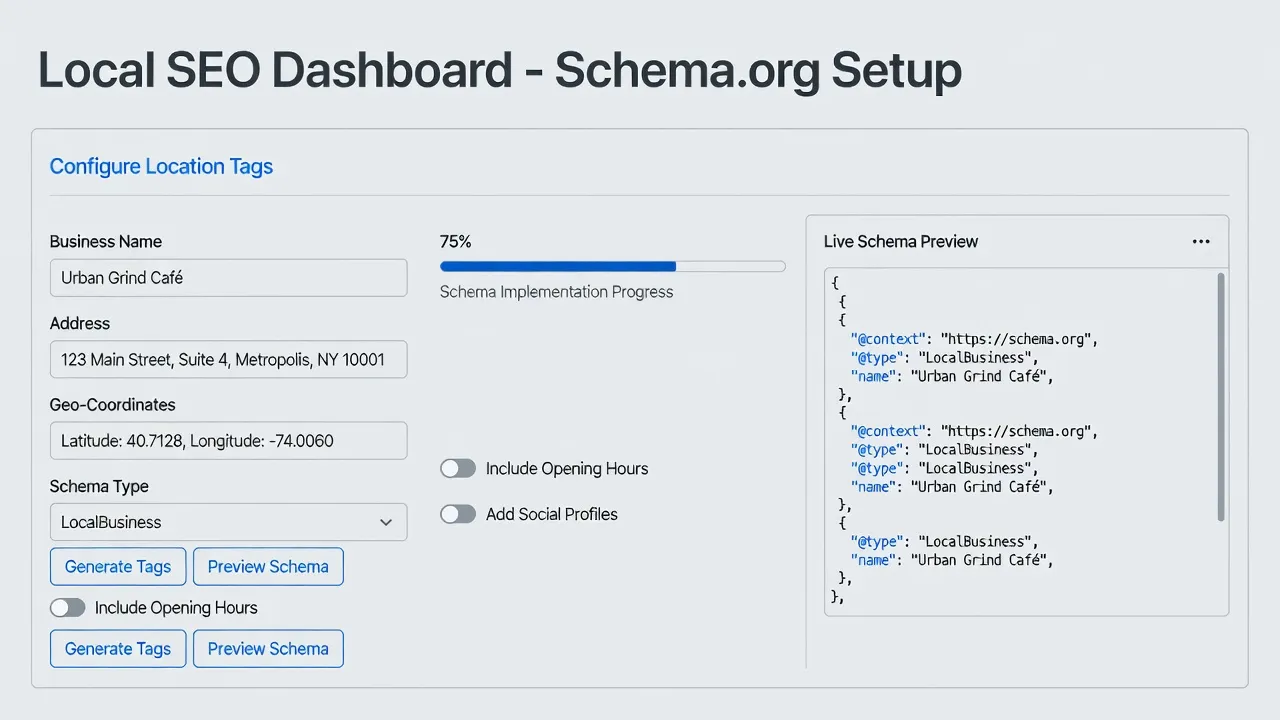
Yoast Local SEO formats location data by translating standard form inputs into standardized JSON-LD code embedded in the website source code. Instead of forcing business owners to write custom Javascript, the plugin provides simple form fields in the WordPress dashboard.
When a user populates fields for business name, address, phone number, and business type, the plugin turns that input into machine-readable JSON-LD. Search engine spiders digest this code instantly upon crawling the page.
{
  "@context": "https://schema.org",
  "@type": "AutoRepair",
  "name": "Central City Auto Care",
  "address": {
    "@type": "PostalAddress",
    "streetAddress": "123 Main Street",
    "addressLocality": "Austin",
    "addressRegion": "TX",
    "postalCode": "78701",
    "addressCountry": "US"
  },
  "telephone": "+1-512-555-0199"
}
According to official guidelines on Google Search Central, explicitly defining your business type, address, and geo-coordinates in JSON-LD helps Google present rich local search results and knowledge panels.
Handling single vs. multi-location architectures
For single-location businesses, the plugin attaches global store schema to the home page or contact page.
For multi-location enterprises, the plugin creates a custom post type called "Locations." Each location page functions as an independent entity with its own unique map, address, operating hours, and localized schema payload.
What technical requirements and limits rule out Yoast Local SEO for certain sites?
Yoast Local SEO requires an active base installation of Yoast SEO on self-hosted WordPress, ruling it out for non-WordPress CMS platforms like Shopify, Wix, or custom React builds. If your business runs on alternative web platforms, this plugin cannot be installed.
Understanding software requirements and financial commitments prevents businesses from buying plugins that conflict with their existing tech stack.
Technical and platform constraints to evaluate
- WordPress CMS Lock-In: The plugin operates strictly as an extension for WordPress.org software. It does not function on closed proprietary systems or head-less frameworks without custom API workarounds.
- Base Plugin Requirement: You cannot run Yoast Local SEO standalone. It requires either the free version of Yoast SEO or Yoast SEO Premium running concurrently.
- Google Maps API Costs: To display interactive maps or store locators, you must set up a personal Google Cloud account and generate a Google Maps Billing API key. Google provides a recurring monthly credit, but heavy map traffic can incur additional usage fees directly from Google.
- Content Generation Deficit: The plugin handles backend technical markup, but it does not generate localized text, city landing page content, or local keyword research.
- Recurring Plugin Subscriptions: As detailed on the official Yoast plugin page, the extension costs $109 per year for a single site license, billed annually.
Businesses looking to establish a complete organic strategy across multiple platforms often look beyond single-plugin setups. Reviewing an operational seo checklist for new website launches helps clarify whether technical plugins or broader content operations align better with your growth goals.
| Software Option | Target Platform | Primary Mechanism | Location Limits | Pricing (Checked Oct 2026) |
|---|---|---|---|---|
| Yoast Local SEO | WordPress Only | JSON-LD Schema & Maps Widgets | Single or Multi-location custom posts | $109 / year (Requires base plugin) |
| PulseRank | WordPress, Shopify, Wix, Git | Full-stack GEO & AI Content Engine | Unlimited geographic target pages | $499 / month flat rate |
| Rank Math Local | WordPress Only | Integrated Schema & Multi-NAP | Included in Pro tier plan | $79 / year (Pro plan starting price) |
| Manual Coding | Any Platform | Custom JSON-LD scripts in site header | Manual per page update | Free ($0 software cost, high dev effort) |
Note: Pricing and plugin requirements listed above were verified as accurate as of October 2026.
Why does local structured data impact Google Map Pack rankings?
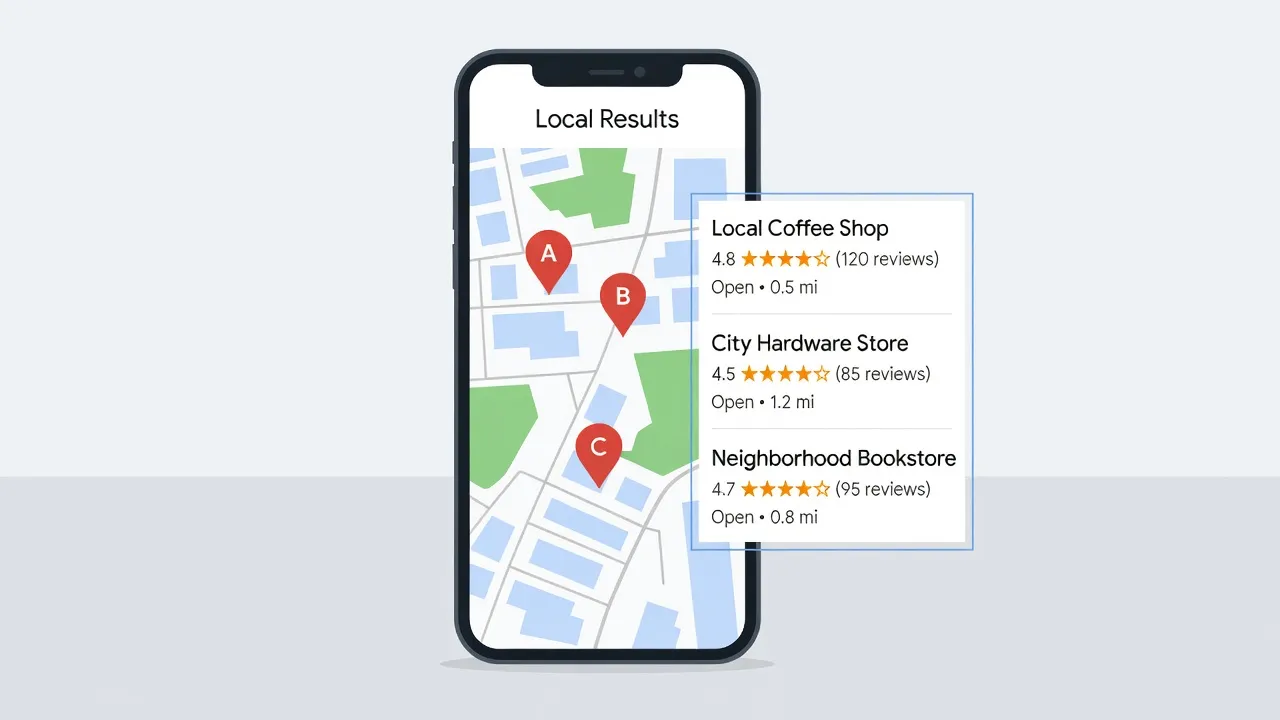
Local structured data improves Map Pack rankings by providing search engine crawlers with clear, un-ambiguous proof of your business address and operational NAP data. NAP stands for Name, Address, and Phone number.
Search engine algorithms prioritize trust when choosing which three businesses to highlight in the local Map Pack. If a site's plain text address conflicts with directory listings, search engine confidence drops.
The role of Schema.org standards in geographic search
As documented on the official Schema.org LocalBusiness reference guide, structured data creates a standardized vocabulary that connects web content to physical entities.
- Entity Matching: Schema links your website to your official Google Business Profile entity.
- Disambiguation: Structured tags prevent search engines from confusing two businesses with similar names in nearby towns.
- Voice and Generative Search Alignment: AI search engines harvest structured JSON-LD payloads to give precise answers when users ask for open stores near their location.
How to configure basic settings in Yoast Local SEO
Configuring Yoast Local SEO involves entering your core business details into the plugin's dashboard and embedding the generated shortcodes onto key site pages. Setting up these fields accurately ensures your site outputs valid markup without syntax errors.
If you are expanding a service agency or managing client builds, using established wordpress seo services practices simplifies multi-site deployments.
Step-by-step setup procedure
- Activate the Add-on: Install and activate the Yoast Local SEO plugin file in your WordPress administrative dashboard.
- Select Business Type: Navigate to the Local SEO tab and choose your primary industry classification (e.g.,
FinancialService,MedicalClinic,Plumber). - Fill Out NAP Information: Type your legal business name, physical mailing address, primary phone number, and email address into the designated fields.
- Add Geo-Coordinates: Enter your exact latitude and longitude coordinates to ensure accurate map pin placement.
- Set Operating Hours: Input standard daily opening and closing times, marking closed days clearly.
- Embed Shortcodes or Blocks: Place the location map and address blocks onto your Contact Us page using the WordPress block editor or plugin shortcodes.
When should a business move beyond local plugins to an automated engine?
A business should upgrade beyond local plugins when its primary bottleneck shifts from basic technical markup to creating high-ranking local content at scale. Plugins ensure your technical header code is correct, but they do not write location pages, target regional keywords, or monitor search engine citations.
If your growth strategy relies on targeting dozens of surrounding suburbs or expanding into new markets, creating pages manually becomes an operational burden.
How PulseRank scales content discovery for local and regional markets
While plugins like Yoast handle header code on WordPress, modern organic visibility requires continuous content production designed for both traditional search and AI answer engines.
PulseRank is an all-in-one SEO and Generative Engine Optimization (GEO) platform built to handle your complete organic content footprint. For $499 per month on a single flat plan, PulseRank executes your keyword research, builds a 30-day editorial strategy, and generates 30 targeted, publication-ready articles per month.
- Multi-Platform Publishing: Connects directly to WordPress, Shopify, Wix, or Git repositories without restricting you to a single CMS.
- AI Citation & Rank Tracking: Combines Google Search Console reporting with tracking tools that monitor whether AI engines cite your business.
- Turnkey Content Operations: Delivers fully written articles complete with structured data, formatted tables, custom generated images, and internal links.
If your team struggles to keep up with content demands or wants to capture search traffic across multiple cities, consider automating your editorial engine with PulseRank.
Frequently Asked Questions
What is the main difference between Yoast SEO and Yoast Local SEO?
Yoast SEO manages general site optimization like title tags, meta descriptions, and sitemaps. Yoast Local SEO is a paid add-on that adds specific features for physical businesses, including LocalBusiness Schema.org markup, store hours widgets, and Google Maps integrations.
Does Yoast Local SEO work on platforms like Shopify or Wix?
No, Yoast Local SEO is built exclusively as a plugin for self-hosted WordPress sites. It cannot be installed on Shopify, Wix, Squarespace, or custom non-WordPress builds.
Do I need a Google Maps API key to use Yoast Local SEO?
Yes, if you want to render interactive Google Maps on your location pages, you must generate an API key through the Google Cloud Console and paste it into the plugin settings.
Is Yoast Local SEO free?
No, Yoast Local SEO is a premium extension. As of October 2026, single-site licenses cost $109 per year and require an active base version of the free or premium Yoast SEO plugin.
Can Yoast Local SEO manage businesses with multiple locations?
Yes, the plugin includes multi-location support. It enables a custom post type that allows you to create dedicated landing pages with unique NAP details, maps, and hours for each physical store branch.
Does installing Yoast Local SEO guarantee a top spot in the Google Map Pack?
No plugin can guarantee top rankings. Yoast Local SEO ensures your website technical markup is correct, but rankings also depend on your Google Business Profile optimization, local backlinks, customer reviews, and regional content depth.
Will Yoast Local SEO generate written content for my city landing pages?
No, the plugin provides technical fields, widgets, and structured data outputs, but you must write the actual text for your location pages yourself or use an external content generation platform.